WinterBreak

After all, all devices have their dangers. The discovery of speech introduced communication – and lies.
- Isaac Asimov
WinterBreak is a jailbreak which was released on New Year’s Day 2025 by Hackerdude
Special thanks to Marek, NiLuJe, Katadelos and all the beta-testers during the development of this jailbreak. RIP bricked Kindles during beta-testing
RIP the original deadlines
Prerequisites
- A PC, Cable, Kindle.
- Unzipping Software (E.g., 7-Zip)
- A registered, supported model and firmware, as you have been led here by the Jailbreaking Wizard.
- You have read this overview and filled the device, if applicable
- A Wi-Fi connection.
If you face any difficulty in following these guides, please navigate to the troubleshooting section, and/or make a ticket in the KindleModding Discord support forums/Community Reddit.
Installation Guide
Before Jailbreaking...
Jailbreaking often involves connecting to the Internet. Before beginning any jailbreaking process, please remember to fill up your Kindle as to avoid ruining the jailbreak mid-process. Additionally, please ensure you have read this before you start.
If you have done the above, please commence to the next step.
Download the latest WinterBreak release:
Winterbreak/Mesquito does NOT work on firmware 5.18.1 and beyond.
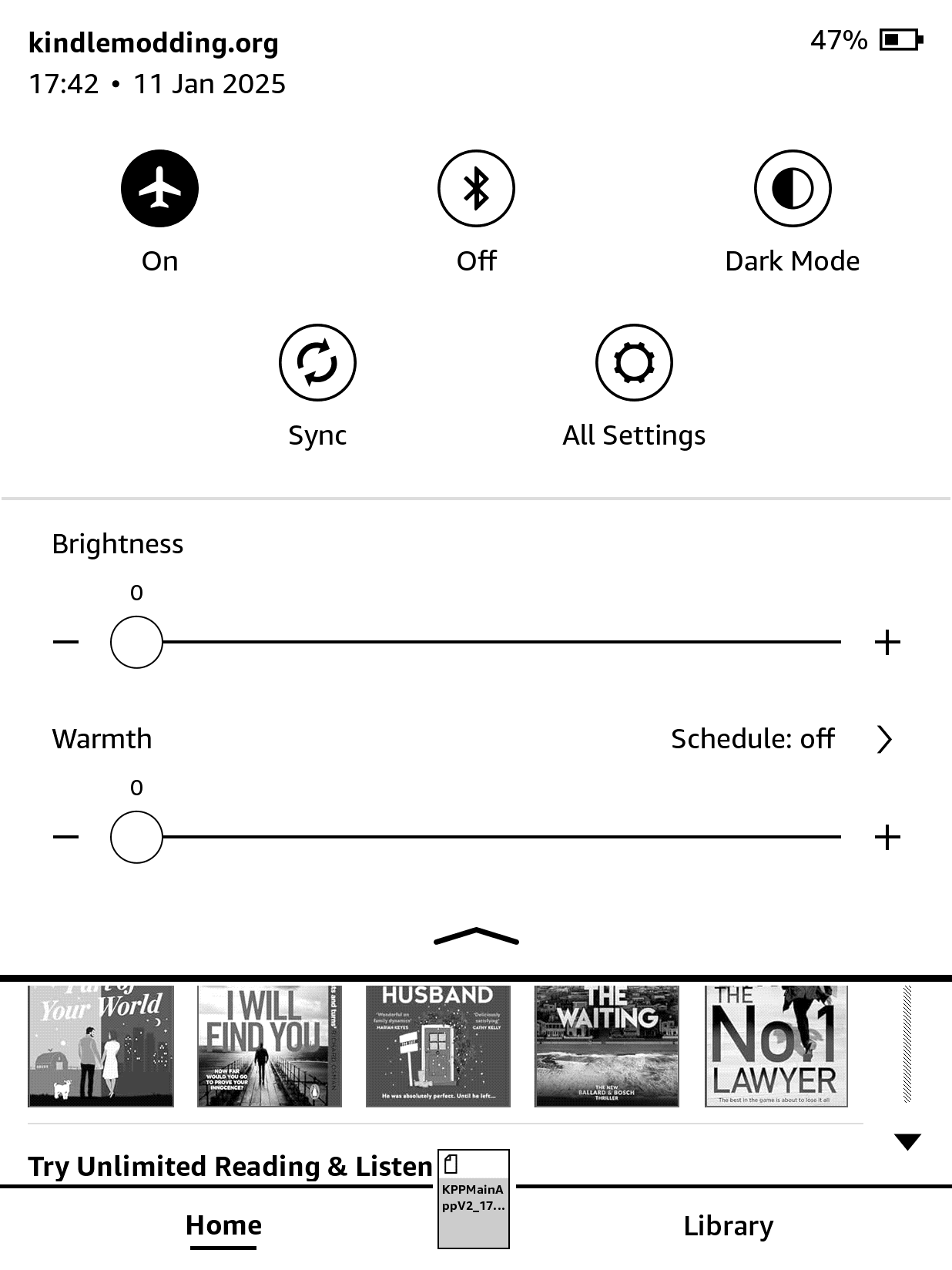
Airplane Mode
Turn on Airplane mode on your Kindle
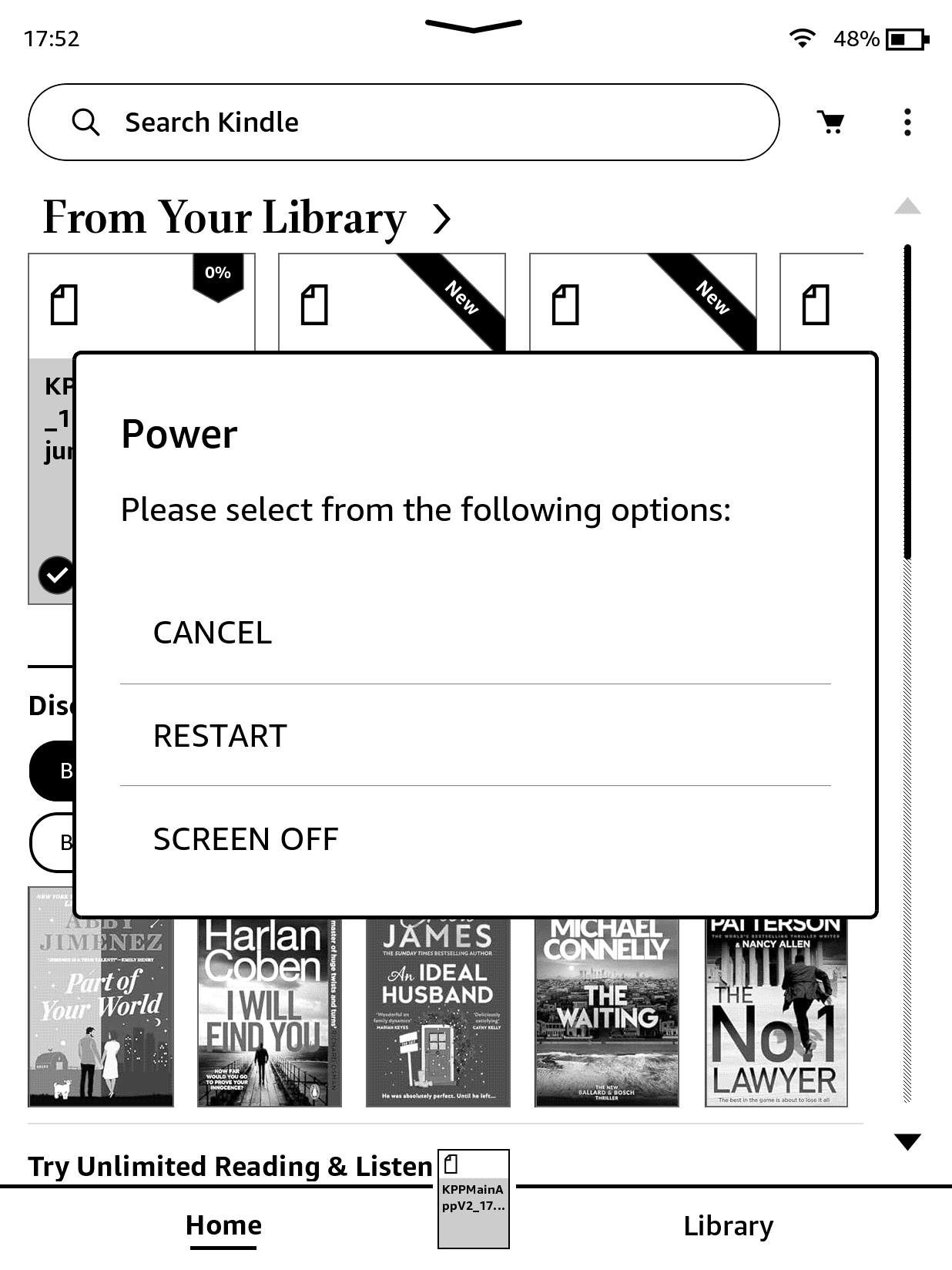
Rebooting
Reboot your Kindle
Extracting WinterBreak
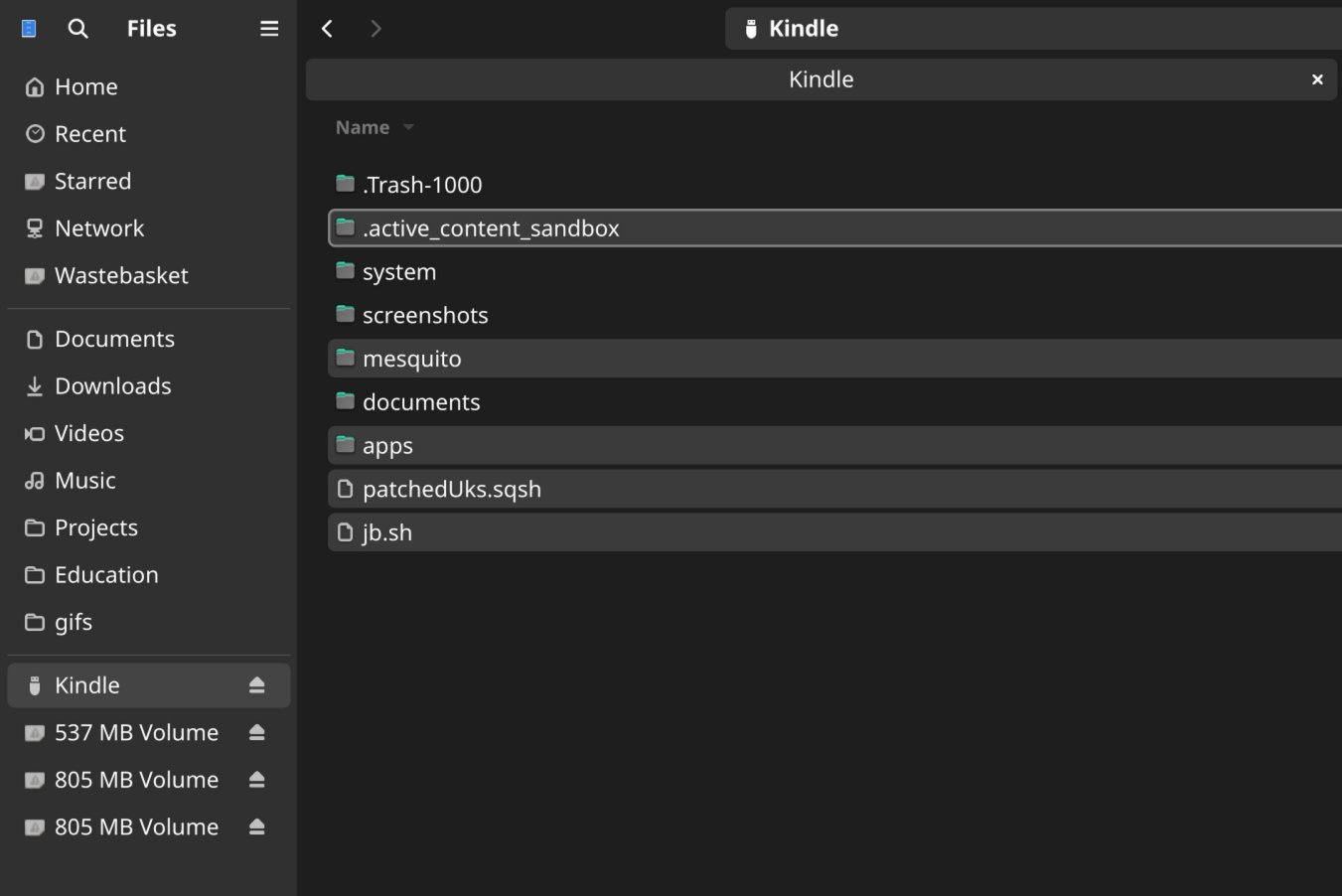
Once it has booted, plug the Kindle into your computer and extract the contents of the WinterBreak.tar.gz file to a safe place on your computer
Then copy the files to your Kindle (do not extract direcly to the Kindle as this may fail). Replace any files if you are prompted to
For Linux/MacOS users, ENSURE the hidden folder .active_content_sandbox has been copied to your Kindle
Entering Mesquito
Eject the Kindle from your computer
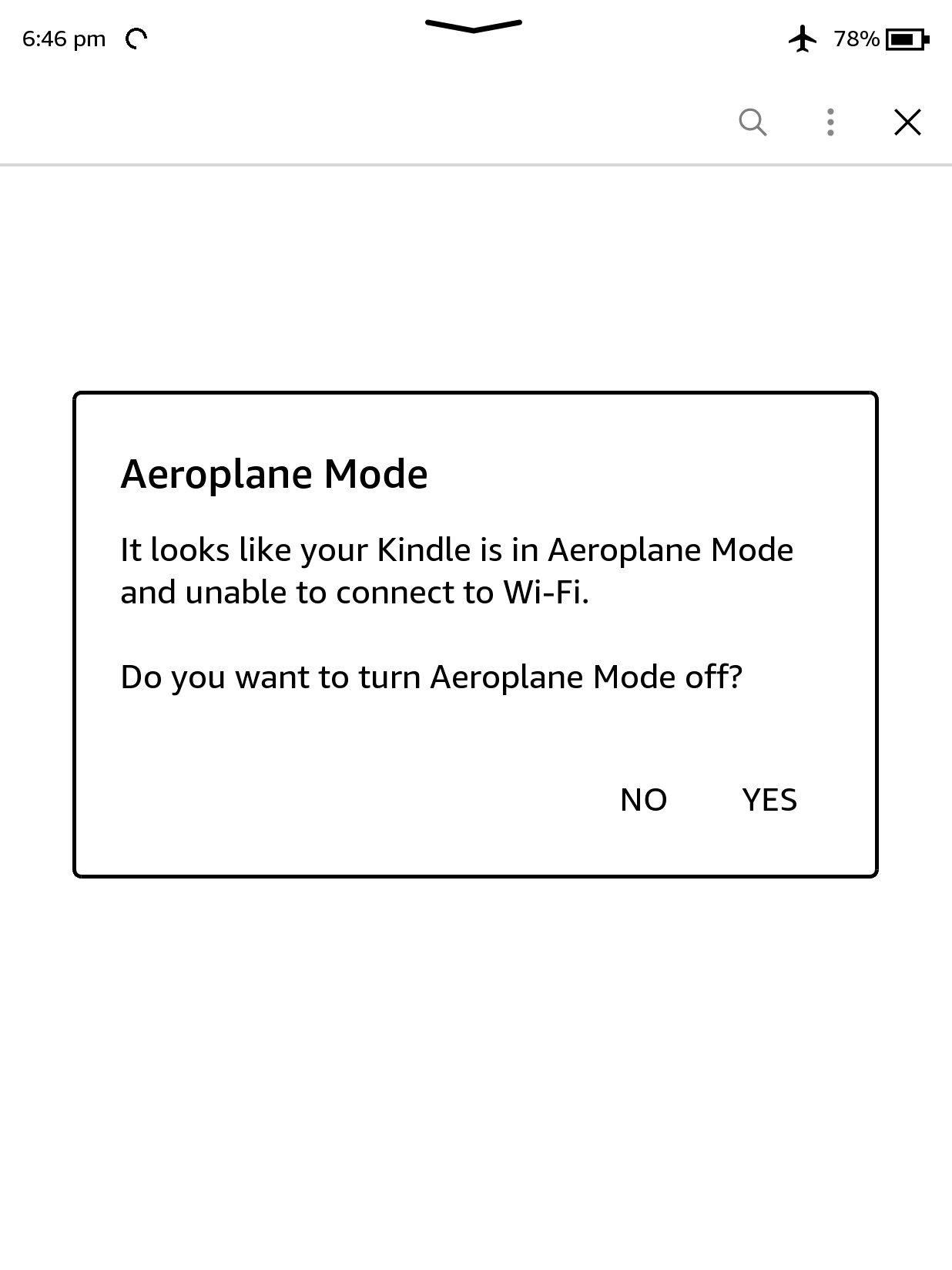
Open the Kindle Store on your Kindle by clicking on the cart icon on the home screen
When prompted, click Yes to turn off Airplane mode
Running WinterBreak
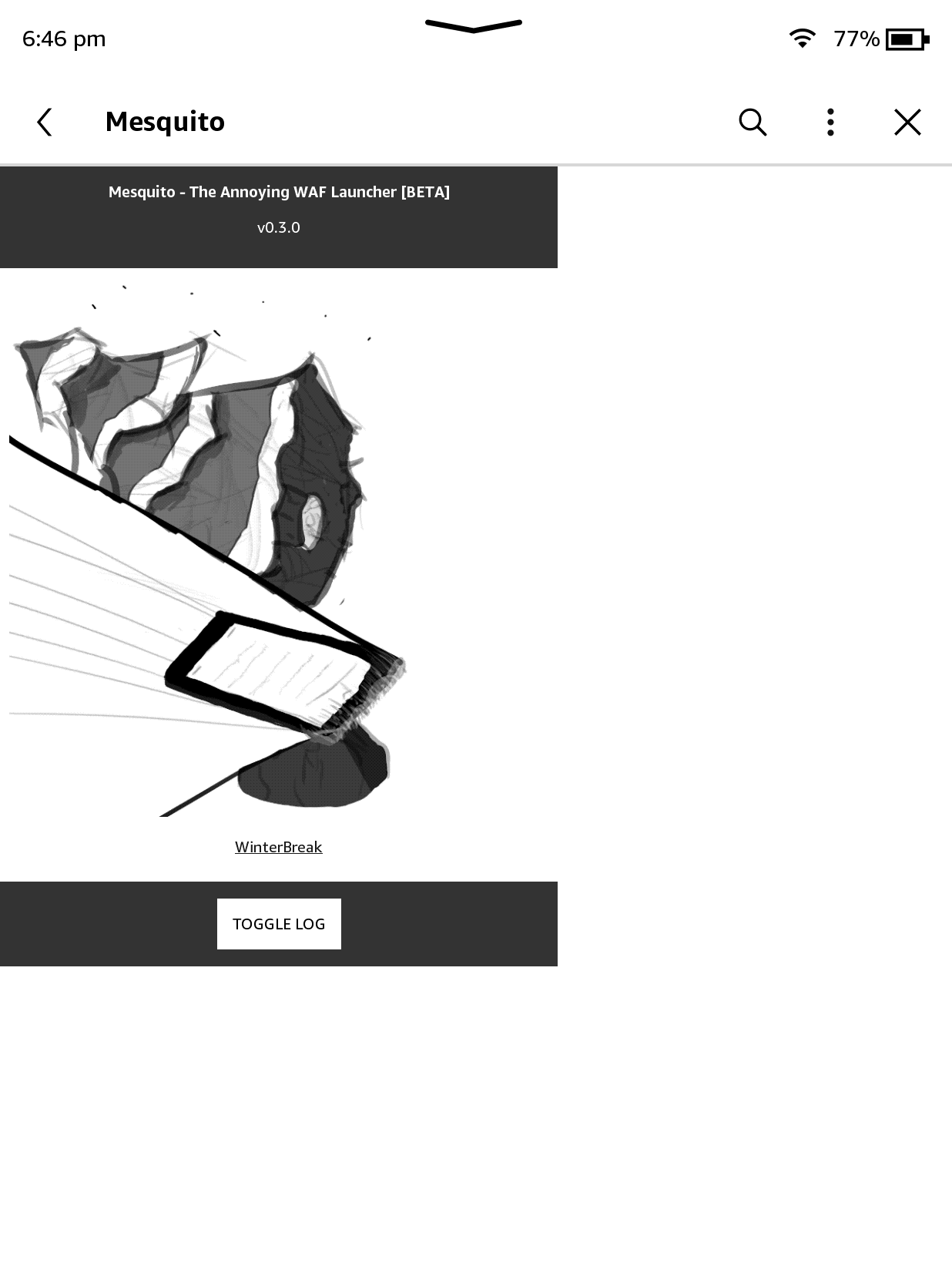
Once Mesquito has loaded, click on the WinterBreak icon
Done
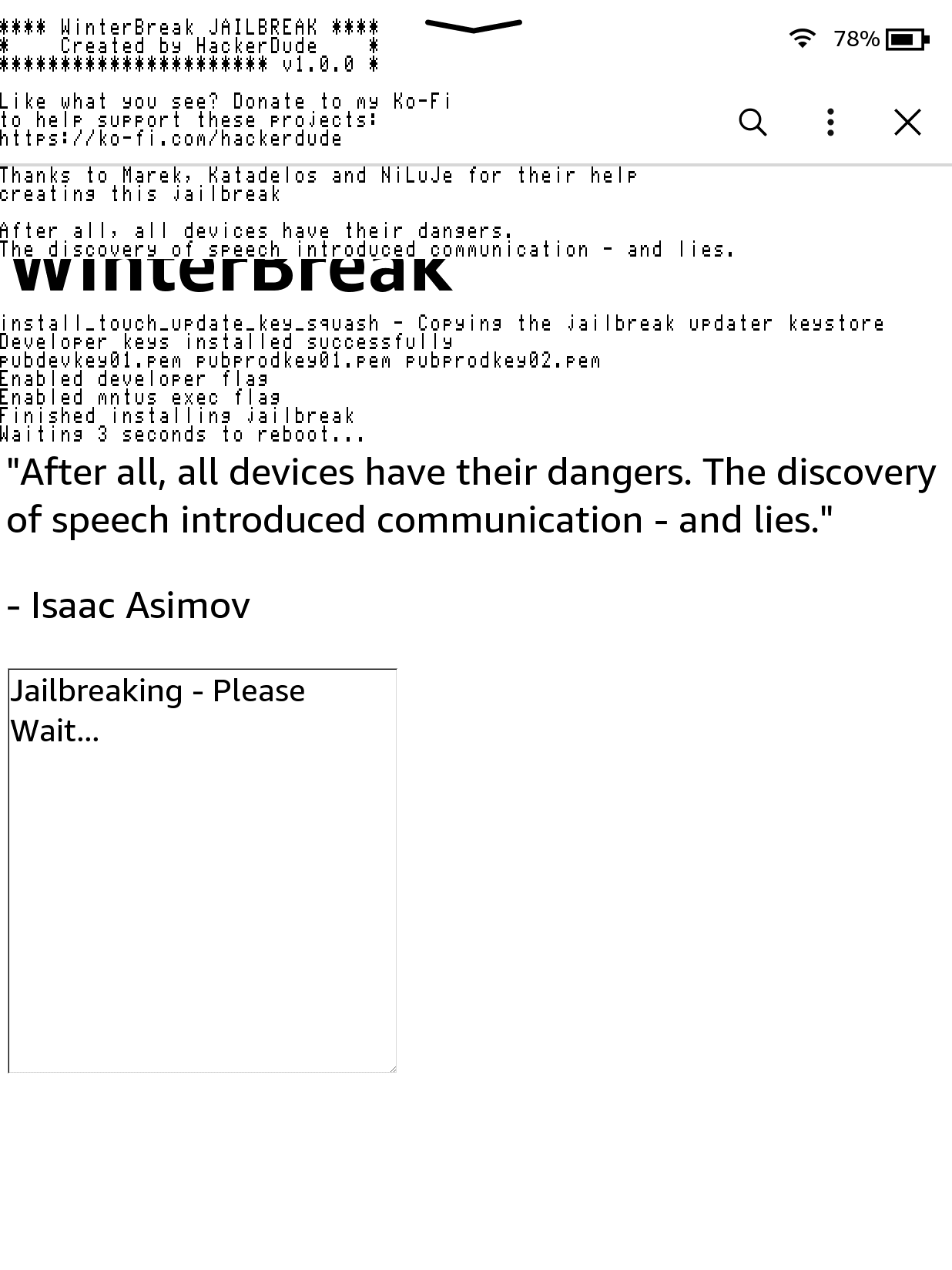
Wait around 30 seconds, and your Kindle will spew text and restart the GUI.
If no funky text appears, retry the guide again.
After Jailbreaking...
Commence to the What's Next section to read about installing scriptlets, homebrew, and KOReader.
Read the whole section thoroughly.
Before you do this, also remove any existing update files with a
.bin extension, if they exist in the Kindle's root.Have fun! :)
Troubleshooting
If an “Unexpected error” occurs when you try to log in to the Kindle Store or only the Kindle Store home page is displayed, try the following solutions:
LocalStorage Replacement
- After successfully registering and filling the Kindle’s storage, plug your Kindle into your PC and delete the
.active_content_sandboxfolder. - Reboot your Kindle
- Disable Airplane mode and connect to a Wi-Fi connection
- Browse the regular Kindle Store for a couple of minutes to generate the files needed for Winterbreak, browse the book categories and download a free sample of any book
- Enable Airplane mode and plug your Kindle into your PC again
- Delete the cache directory in the path
.active_content_sandbox/store/resource/LocalStorage. If this folder has not yet been generated, browse the Kindle Store for another couple of minutes until it is generated. - Once deleted, copy the Winterbreak files to your Kindle, delete any stray
update-bin-whatever.binorupdate.bin.tmp.partialfiles and reboot - Open the Kindle Store on your Kindle, when prompted, click
Yesto turn off Airplane mode
Factory Reset
Solution by: DiabloSat & Rexathion1
- Factory Reset your Kindle
- Before registering - plug your Kindle into your PC, move the WinterBreak files to the root of your storage space
- Login to your account, and enable Airplane mode as soon as possible
- Connect your Kindle into your PC and delete the cache directory at the path
.active_content_sandbox/store/resource/LocalStorage(skip this step if theLocalStoragedirectory does not exist) - Reboot your Kindle
- Open the Kindle Store on your Kindle
- When prompted, click
Yesto turn off Airplane mode
Special Thanks To Our Courageous Beta Testers
- Crystals (Bricked their PW4 testing)
- mergen3107 (Came up with the “WinterBreak” name)
- Bomberfish
- BionicGecko
- Juliet
- Rie
- Robotic
- scrad
- shamanNS
- akane
- BlackNinja
- Gimzie
- Elaine Roberts
- Lux
- Marek
- terra