SpringBreak
If we had no winter, the spring would not be so pleasant.
- Anne Bradstreet
SpringBreak is a jailbreak released on 22/06/26 by Penguins184.
You can read the writeup here.
Prerequisites
- A PC, Cable, Kindle.
- Unzipping Software (E.g., 7-Zip)
- A registered, supported model and firmware, as you have been led here by the Jailbreaking Wizard.
- You have read this overview
- A Wi-Fi connection.
If you face any difficulty in following these guides, please navigate to the troubleshooting section, and/or make a ticket in the KindleModding Discord support forums/Community Reddit.
Installation Guide
Download the latest SpringBreak release:
On the contrary to other jailbreaks, Filler files may make this process FAIL. This process creates thousands of nested folders to work on your Kindle, if there is not enough space it won't work! Preferably, leave more space and don't use Wi-Fi. Also, do it fast. Nethertheless, read this before you start.
On MacOS, you do not need to do this. The command you will run later in this guide does it automatically!
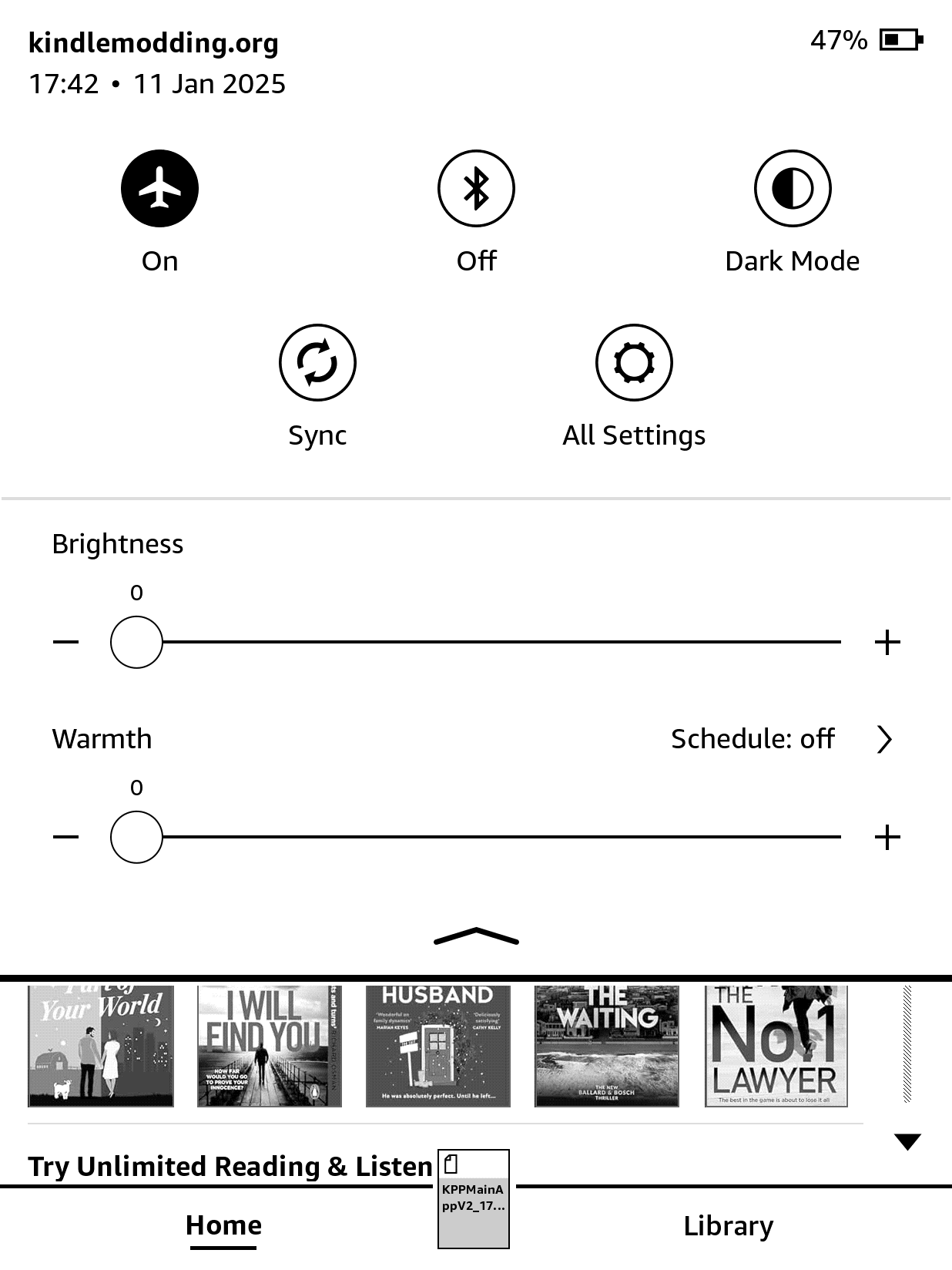
Aeroplane Mode
Turn on Aeroplane Mode, on your Kindle.
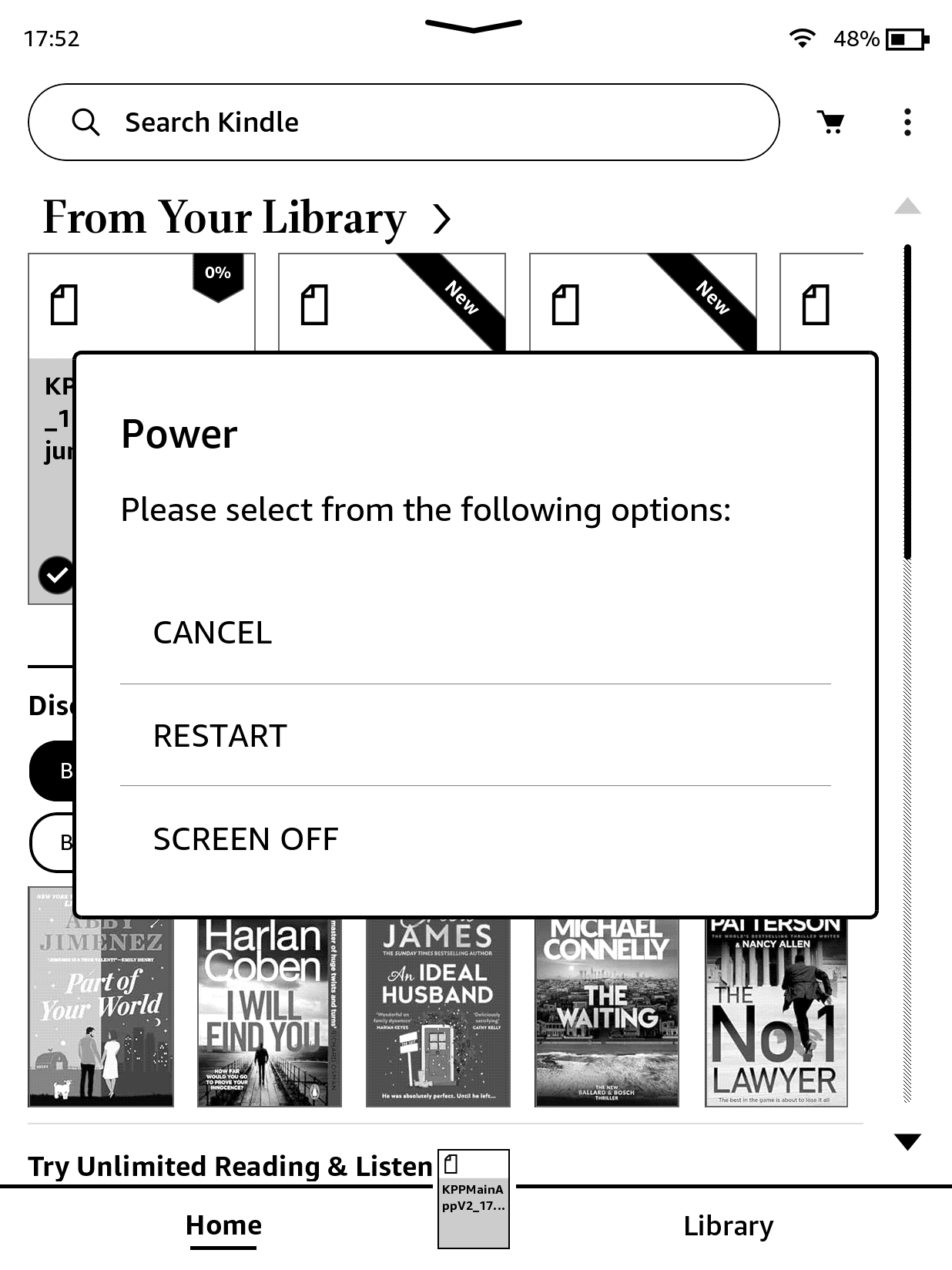
Reboot
Restart your Kindle.
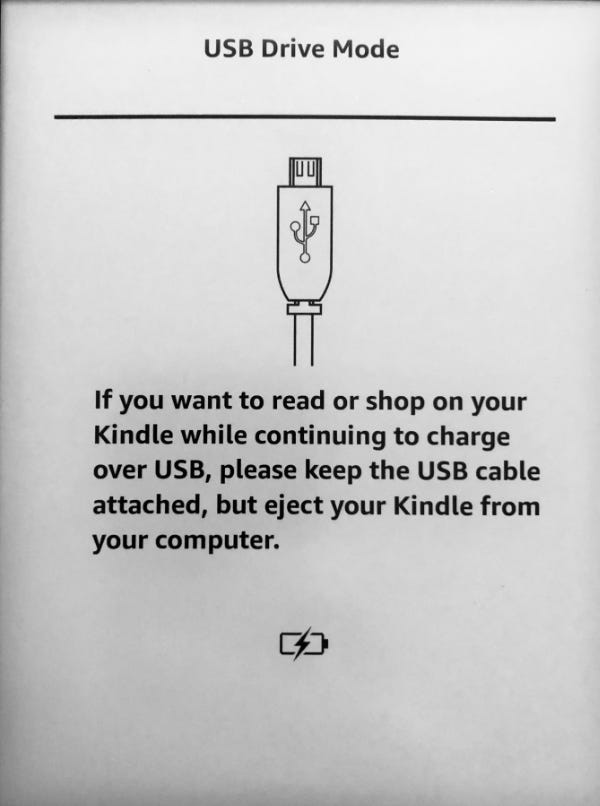
Plug in your Kindle
Connect the Kindle to your PC via USB.
If the screen does not look exactly like below, especially if it has a 'disconnect' button, you have already gone wrong. Your Kindle is not supported.
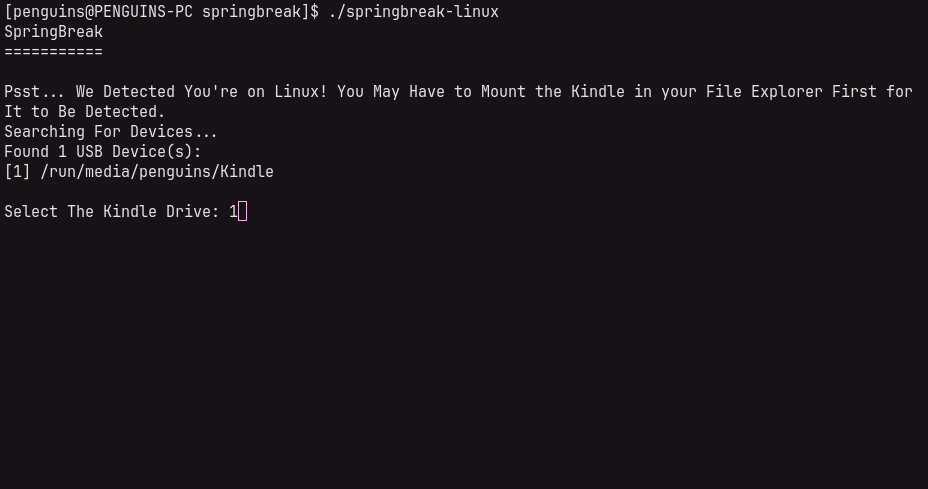
For Linux users, at this stage open your Kindle in your file explorer to mount it if it doesn't happen automatically. Then close the explorer, it is not necessary.
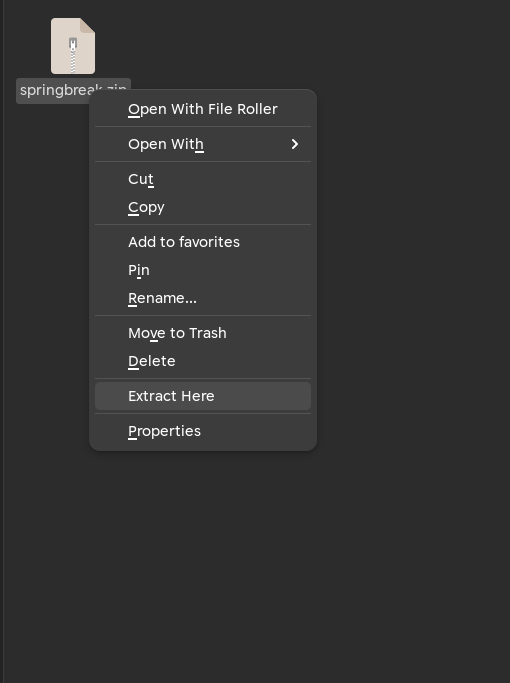
Unzip
Unzip the SpringBreak release on your computer.
Run the Binary
Windows:
Double-click springbreak.exe to begin.
Linux:
chmod +x ./springbreak-linux && ./springbreak-linux
MacOS:
Run this whole snippet in a terminal: curl -L https://github.com/KindleModding/SpringBreak/releases/latest/download/springbreak.zip -o springbreak.zip && unzip springbreak.zip && cd springbreak && chmod +x ./springbreak-darwin && ./springbreak-darwin
Select your Kindle
Choose your Kindle from the Device list. If it is plugged in (and mounted - see step 4), it will show up.
Type in the number that corresponds to the Kindle and press enter.
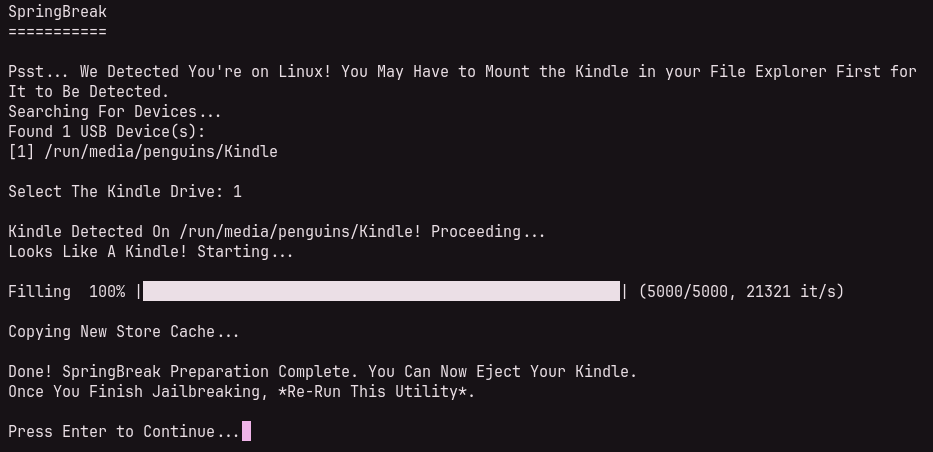
Wait...
Your Kindle will now be filled up using filler files.
This will take a considerably greater amount of time on Windows than it will Linux.
Open the Kindle Store
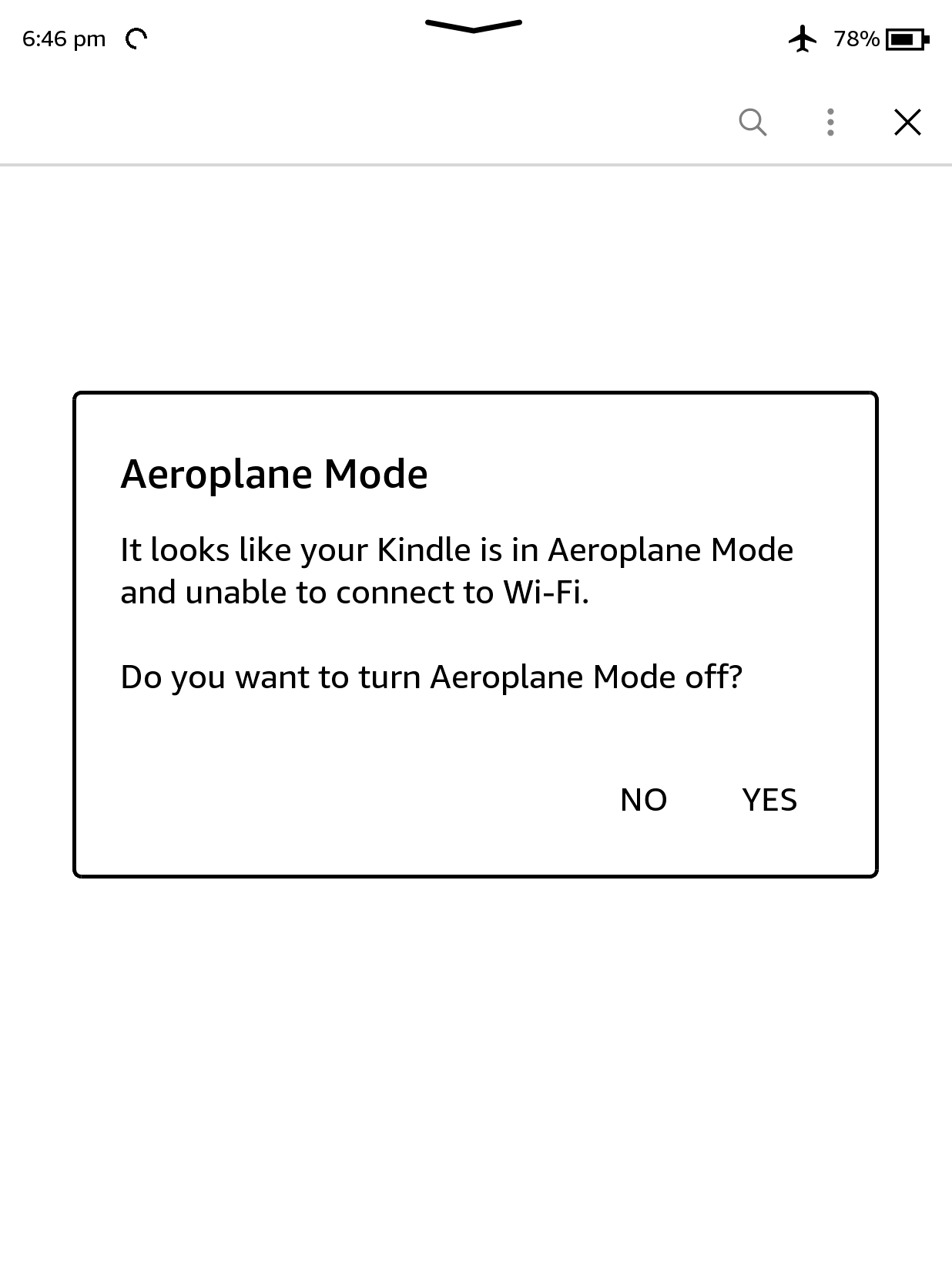
Unplug the Kindle, on the Homescreen press the 'store' icon.
When prompted, turn off aeroplane mode. Yes, you need Wi-Fi! You can turn it off immediately after SpringBreak has loaded.
Jailbreak!
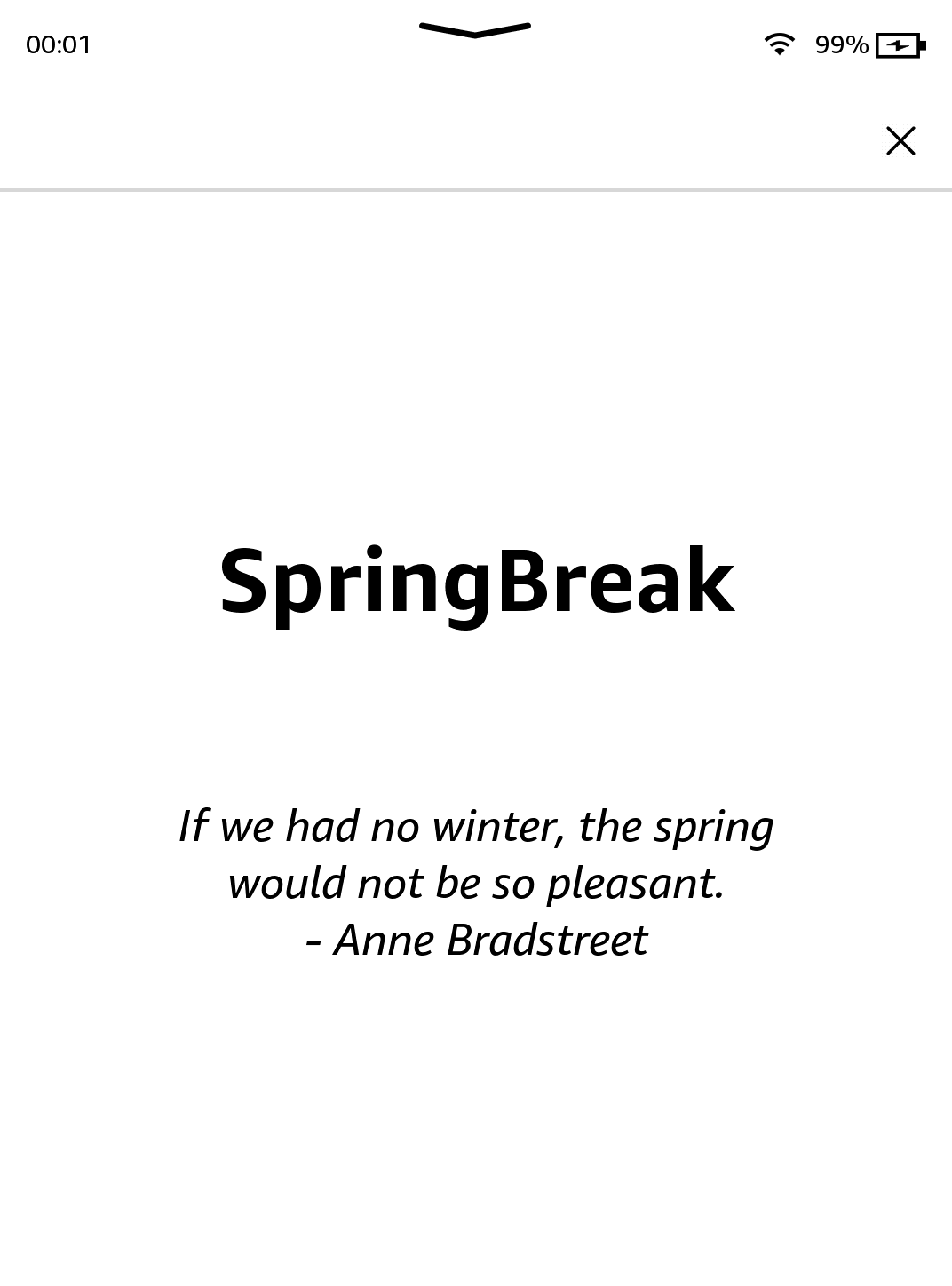
SpringBreak should load, give it time and text should appear.
Success!
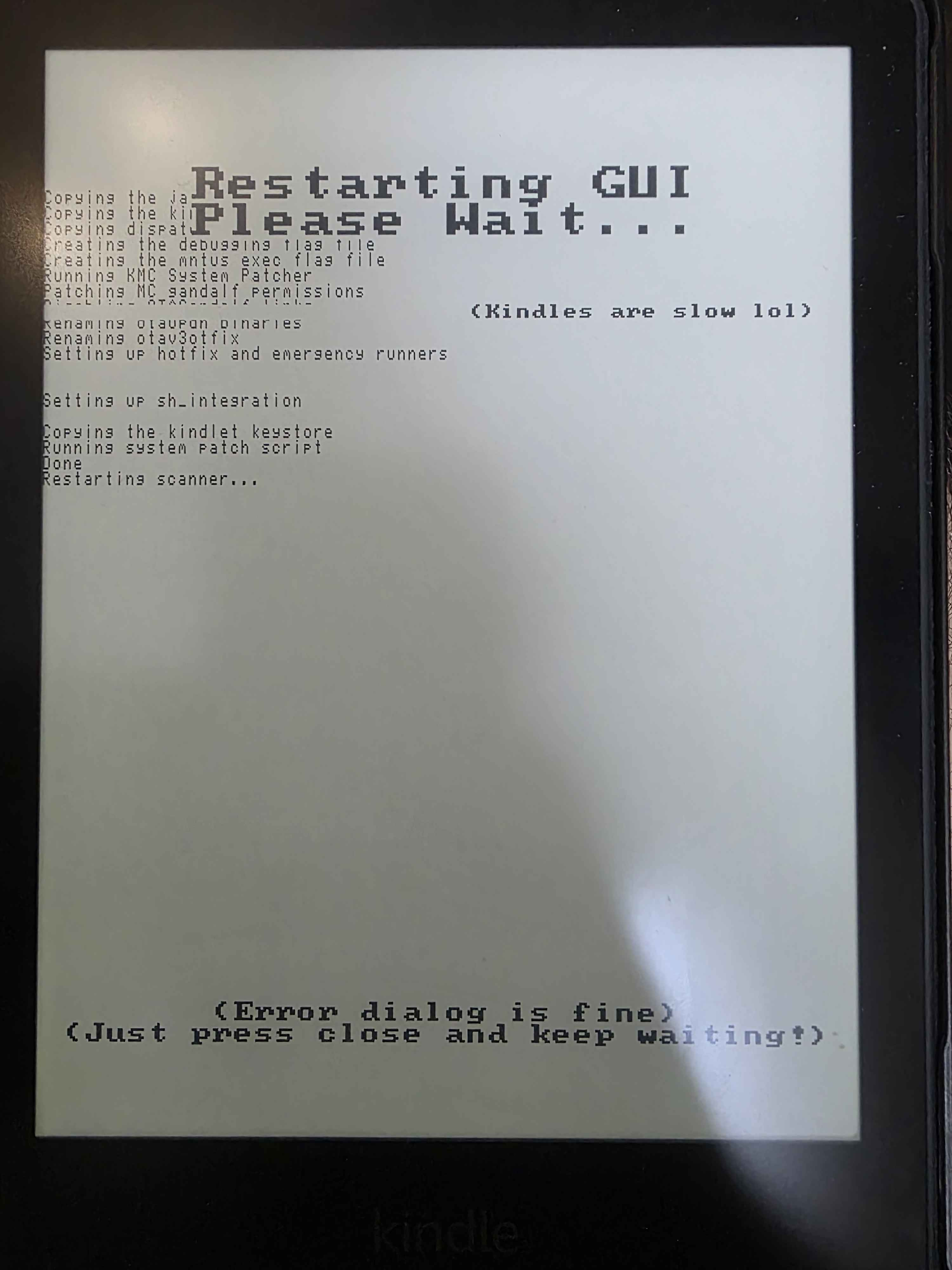
After a few seconds you should see this screen, indicating that the jailbreak is successful.
Clean-up
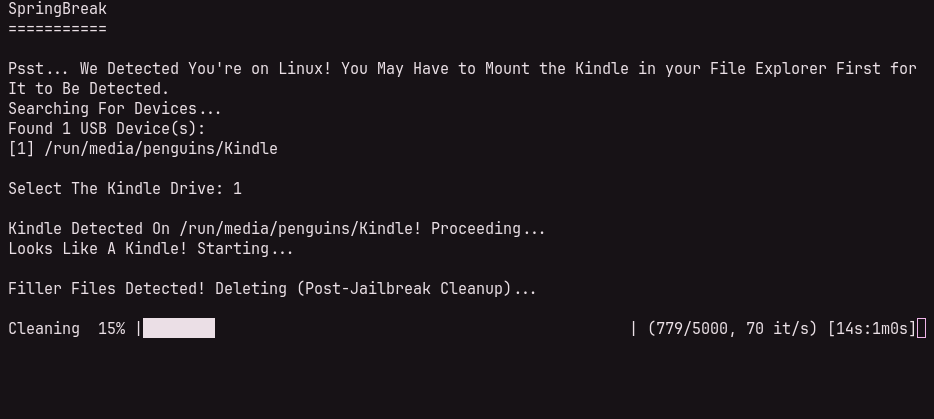
Plug the Kindle back in once you're on the homepage and the system UI has restarted. Run the binary (or, on MacOS, the command), select the Kindle, and it will clean-up.
If you don't do this, the Kindle will take upwards of 15 minutes to boot.
After Jailbreaking...
Commence to the What's Next section to read about installing scriptlets, homebrew, and KOReader.
Read the whole section thoroughly.
.bin extension, in the Kindle's root.Have fun! :)
Troubleshooting
- Opening the store says ‘Application Error’; Unplug and re-plug the Kindle once or a couple of times until it works.
- Don’t see your Kindle? Ensure it is mounted if you are on Linux (Open it in a file explorer).
- Filling fails due to lack of space? Delete some filler files, re-run the script to delete the old partial fillers, and retry.
Credits
- Penguins184 - Creator of this Jailbreak, Wiki Page
- Hhhhhhhhh - Initial LPE, Core ideas
- Hackerdude - Thought of using filler files so the Kindle Store could become a vector
- Scam.net - Reminded me of numerous key details during my exploit discovery which pointed me in the correct direction.
- Thanks to all beta-testers: EastLancsRaceway, redbullguzzler, ava