AdBreak
If I cannot do great things, I can do small things in a great way.
- Martin Luther King, Jr.
AdBreak is a jailbreak released on 24/09/2025 by hhhhhhhhh.
It is based on CVE-2012-3748.
Prerequisites
- A PC, Cable, Kindle.
- Unzipping Software (E.g., 7-Zip)
- A registered, ad-enabled, supported model and firmware, as you have been led here by the Jailbreaking Wizard.
- You have read this overview and filled the device, if applicable
- A Wi-Fi connection.
If you face any difficulty in following these guides, please navigate to the troubleshooting section, and/or make a ticket in the KindleModding Discord support forums/Community Reddit. It also includes details on how you could possibly re-enable ads on a kindle which does not have them at present.
Installation Guide
Before Jailbreaking...
Jailbreaking often involves connecting to the Internet. Before beginning any jailbreaking process, please remember to fill up your Kindle as to avoid ruining the jailbreak mid-process. Additionally, please ensure you have read this before you start.
If you have done the above, please commence to the next step.
Download the latest AdBreak release:
Download Ads
Leave your kindle for a while, connected to the internet, so it can download advertisements.
If you press the lock button, an advertisement should be displayed.
If advertisements aren't being downloaded after a while, a factory reset may help.
Aeroplane Mode
Once you have verified ads are displayed on the lockscreen, enable airplane mode.
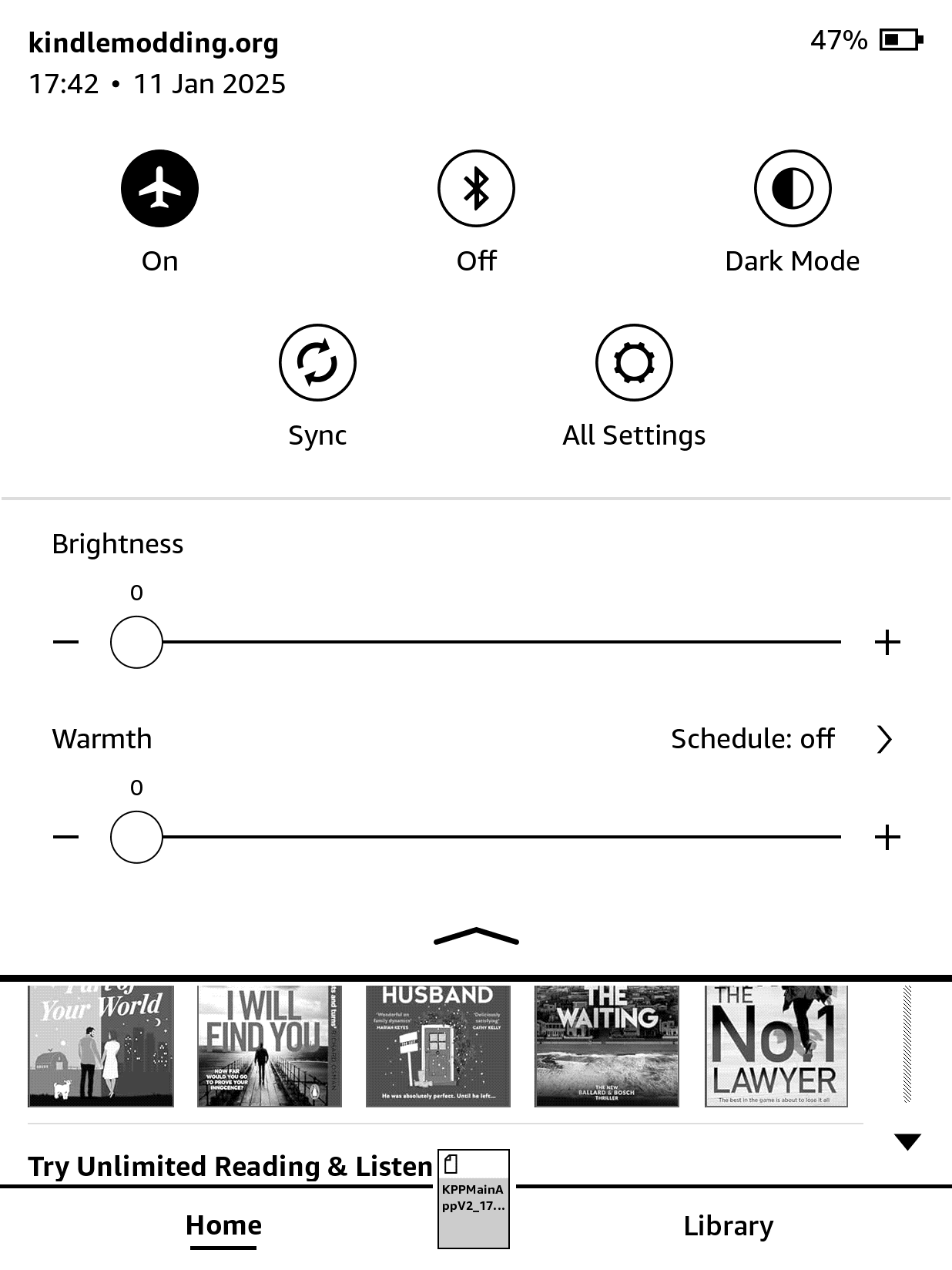
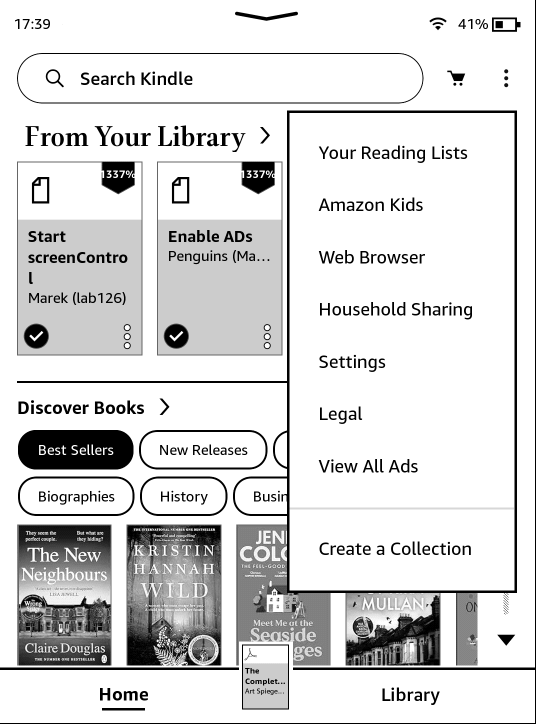
View all ads
Click on the top right menu and select "View all ads", which should display multiple "special offers".
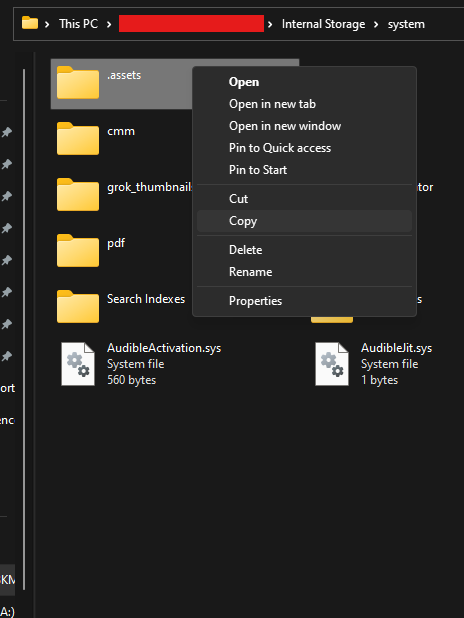
Copy .assets
Plug in the Kindle, open the system folder and copy the ".assets" folder to your computer.
Unzip AdBreak
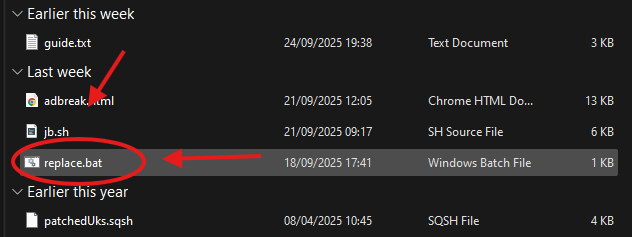
Unzip the previously downloaded AdBreak, and place the extracted contents within the ".assets" folder located on your computer.
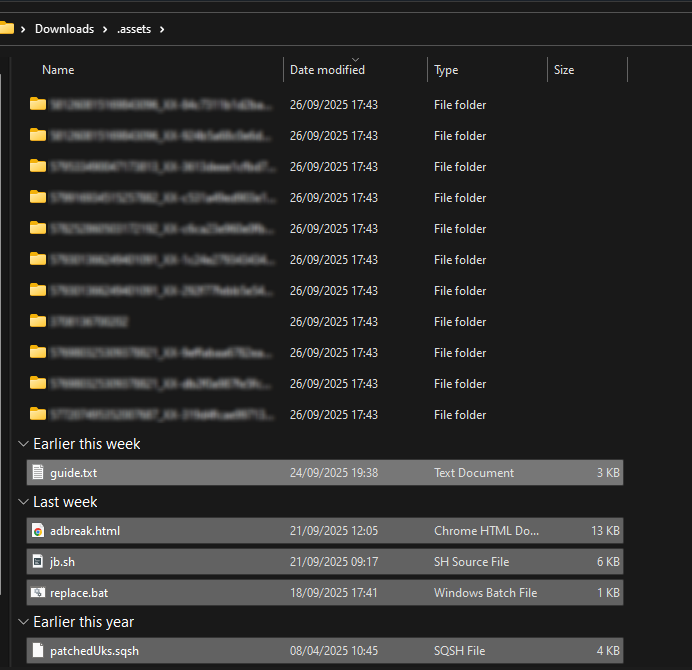
Run The Replace Script
Windows:
Double-click on "replace.bat" to run it.
MacOS/Linux:
Run find . -name 'details.html' -exec cp adbreak.html {} \; using a terminal.
Replace Kindle .assets
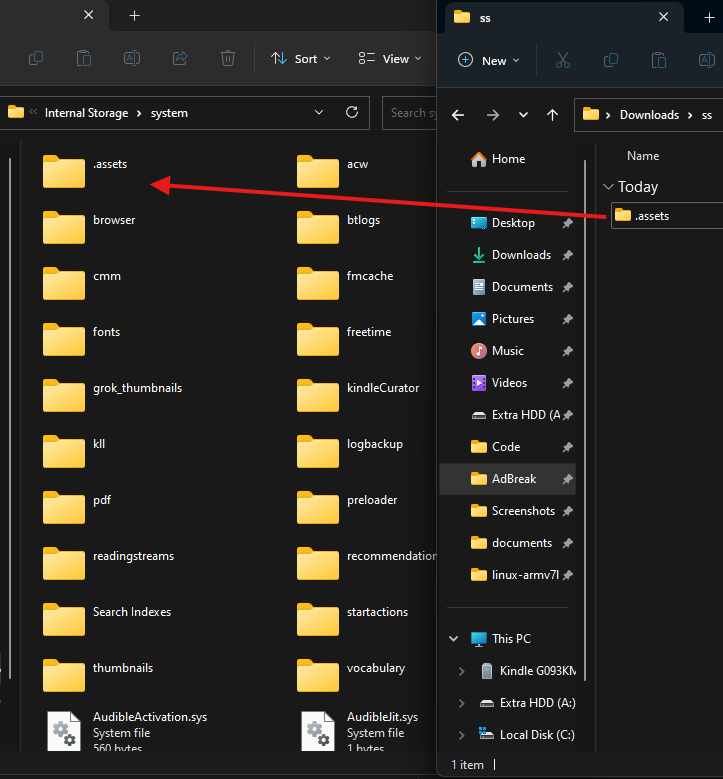
Delete the original kindle .assets and replace it with your on-PC modified copy.
Jailbreak!
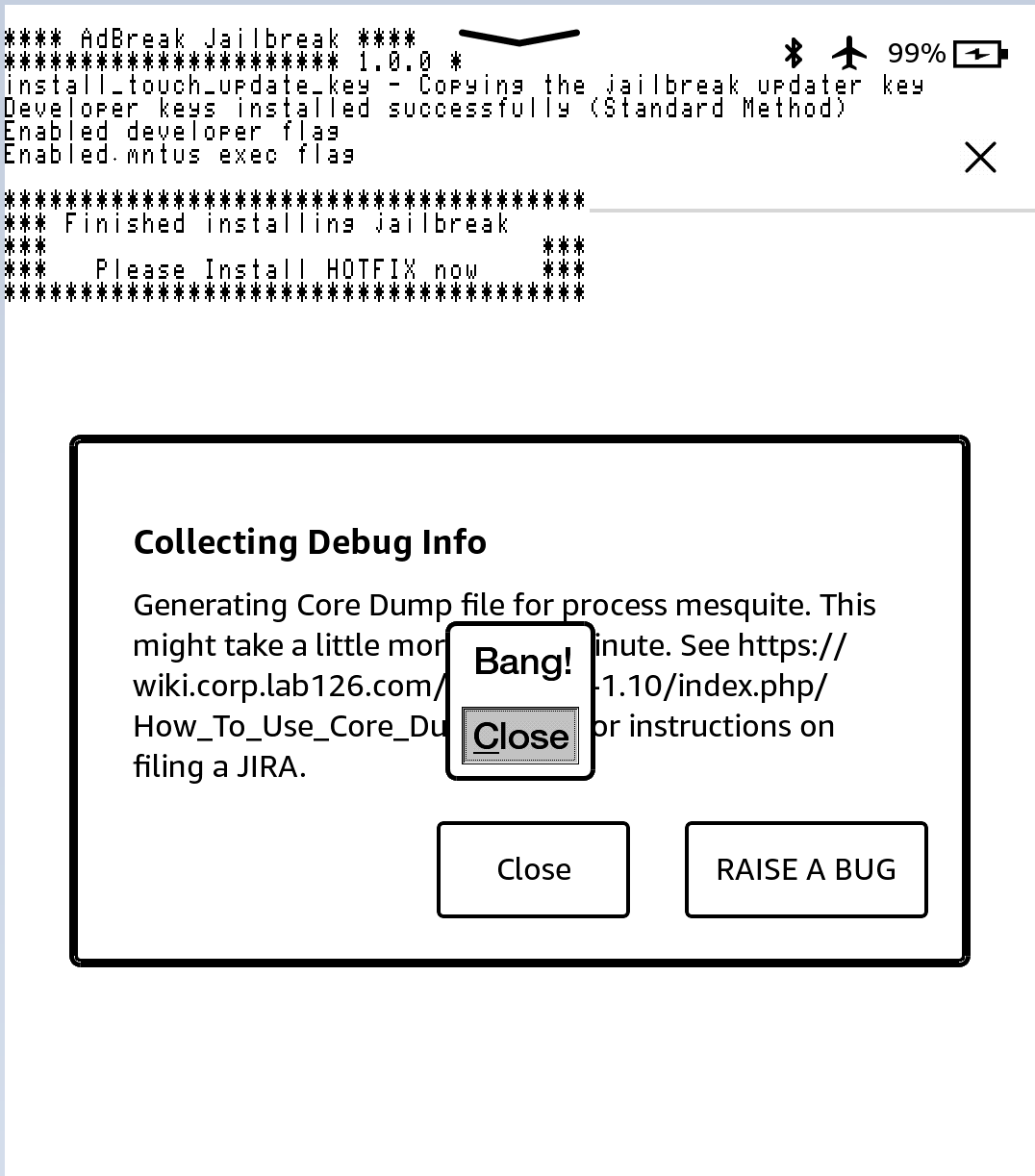
Unplug, click on an ad and go through the popups, once you click Close on "Bang!", the jailbreak script should run.
You can safely ignore any "application error" popups, they are irrelevant.
After Jailbreaking...
Commence to the What's Next section to read about installing scriptlets, homebrew, and KOReader.
Read the whole section thoroughly.
Before you do this, also remove any existing update files with a
.bin extension, if they exist in the Kindle's root.Have fun! :)
Troubleshooting
Common Issues
- Can’t find the system folder:
- On mass storage kindles, if you cannot see the
systemfolder, you will have to navigate to the path manually, or follow this guide to see protected system folders.
- On mass storage kindles, if you cannot see the
- “Bang!” shows but the jailbreak doesn’t run:
- Check the .assets folder on the Kindle. “jb.sh” and “patchedUks.sqsh” must be in there.
Enabling Ads
Ads can be disabled afterwards - enabling them is NOT permanent
- Switch account region
- Go to Manage Your Content and Devices → Preferences → Country/Region Settings → Change.
- Select one of: US, UK, DE, FR, IT, ES, JP, CN, AU
- Use valid details (address, phone, email).
- Add payment method
- Set a default credit card and billing address matching the chosen region.
- No charge should occur.
- Enable special offers
- In your Amazon account, turn on Special Offers for your Kindle.
- Sync kindle
- Connect to Wi-Fi, eventually ads will appear on lockscreen.
Special Thanks To
- Chris Evans (@scarybeasts) for a lot of the exploit code
- Hackerdude for the modified JB script.
- Ceoz: Enable-ad findings
- Penguins184: This guide